


%20(1).jpg)

Updated for 2026: this guide reflects current features, pricing frameworks, and regulatory requirements relevant to packaging and labeling teams.
Here's a scenario that plays out more often than it should: a packaging team spends three months evaluating artwork workflow tools, picks one based on a feature checklist, and six months into implementation realizes it was built for a completely different use case than theirs.
The market is growing rapidly. The global Artwork Management Software market is expected to grow from $3.5 billion in 2025 to $6.0 billion by 2035 (CAGR: 5.5%), driven by digital transformation, the need for more efficient artwork management, and the shift toward cloud-based platforms that support remote collaboration. As the market matures, so does the number of platforms claiming to solve your artwork challenges.
The truth is, not every platform is built for every team. So this guide is structured differently. Yes, we'll cover features. But we'll also tell you who each tool is actually for, so you can cut through the noise faster.
What is an artwork management tool?
An artwork management software is a cloud-based system designed to manage the entire lifecycle of packaging and label artwork, from initial design through stakeholder review, compliance checks, version management, and final approval.
These platforms serve as the operational backbone for packaging teams, replacing fragmented email chains, shared drives, and manual spreadsheet tracking with structured, accountable, and automated processes.
Industries with the most to gain include:
- Food and beverage (allergen declarations, nutritional panels, regional compliance)
- Cosmetics and personal care (ingredient accuracy, claims compliance)
- FMCG and consumer goods (high SKU volume, frequent packaging refreshes)
- Nutraceutical and life sciences (strict regulatory labeling requirements)
- Consumer electronics (high SKU, regulatory requirements)
Selection criteria: Key features of top artwork management system
.webp)
A purpose-built artwork management system typically includes these core capabilities:
- Automated compliance: Automated checks for claims, warnings, logos, formatting, barcodes, and other label elements.
- Version control: A single source of truth for all artwork revisions, with full audit trails.
- Online proofing and annotation: Markup tools, artwork compare, spell check, font finder, and more that reduce human error during review.
- Workflow automation: Trigger-based routing, auto-complete approvals, Gantt chart tracking, and reusable templates.
- Digital asset management (DAM): Centralized storage with metadata management, granular sharing, and fast retrieval.
- Analytics and reporting: Dashboard visibility into project status, approval timelines, and compliance metrics.
Also read: The Essential Guide to AI-powered Label Compliance
The 9 best artwork management tools in 2026
Now let’s dive into each platform. We’ll start with Artwork Flow. Full disclosure: it’s our own product, and we honestly believe it deserves the first spot (for all the right reasons, we promise!). That said, we’ve done our best to give every tool a fair and honest evaluation.
1. Artwork Flow by Esko — artwork management and label compliance
Best for: Cosmetics, Food and beverage, Agrochemicals, Nutraceuticals, and other FMCG brands with complex workflow and regulatory needs.
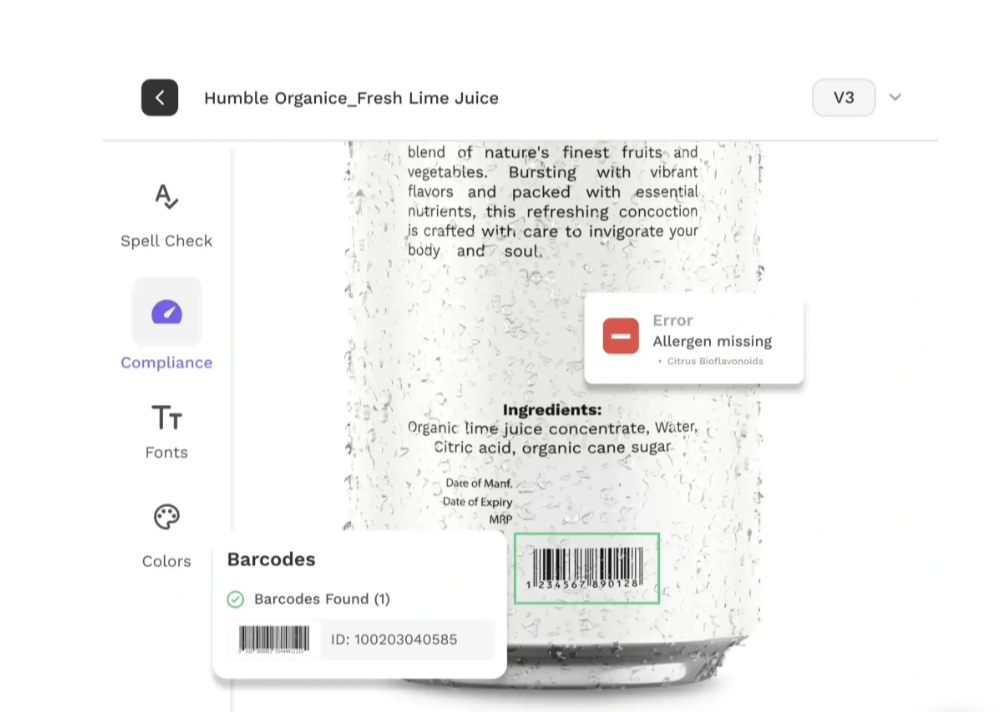
Artwork Flow is an AI-powered artwork management tool that brings regulatory compliance, artwork reviews, and workflow management into a single workspace. It’s a product we’ve built ourselves, shaped by ongoing conversations with packaging managers and teams who deal with these challenges every day. Their feedback has played a key role in how the platform has evolved. Teams using Artwork Flow have cut revisions by 50% and seen 3x faster approvals.
Key features
- AI-led compliance checks: With Comply embedded within your workflow, the platform flags missing warnings, incorrect allergen placement, wrong fonts, and non-compliant label elements automatically during reviews.
- Online proofing toolkit: Artwork compare (3 modes), spell check, font finder, and QR code scanning reduce manual review errors significantly.
- Flexible workflow automation: Auto-complete workflows, Gantt chart project tracking, reusable templates, and automated reminders keep projects on schedule.
- Analytics and dashboard reporting: Real-time visibility into project status, task completion rates, and team performance metrics.
- AI-powered DAM with smart tagging: Store, organize, and retrieve artwork assets using auto-generated metadata tags, version history, and private folder controls.
Pros
- Most comprehensive feature set among all tools reviewed.
- Fast implementation and quick onboarding.
- Comprehensive AI-led compliance compared to the rest.
- Supports high-SKU environments and complex regulatory markets.
Cons
- Teams with very narrow, single-purpose needs (e.g., print-only workflows) may find some features beyond their immediate scope
- No free trial available
2. Esko - packaging management and compliance
Best for: Growing and enterprise packaging teams that need strong workflow management and production integration
Esko offers a suite of packaging management solutions designed to streamline artwork workflows across the packaging lifecycle. Two key offerings are WebCenter Go and WebCenter Enterprise, both built to support artwork collaboration, compliance, and production-ready packaging processes.
WebCenter Go is packaging approval & workflow software for growing brands that want to move away from email- and spreadsheet-based artwork reviews. It enables faster implementation with flexible workflows, advanced proofing suite, and AI-led regulatory compliance. WebCenter Enterprise is designed for large organizations with complex packaging operations, offering deeper customization, and advanced workflow automation.
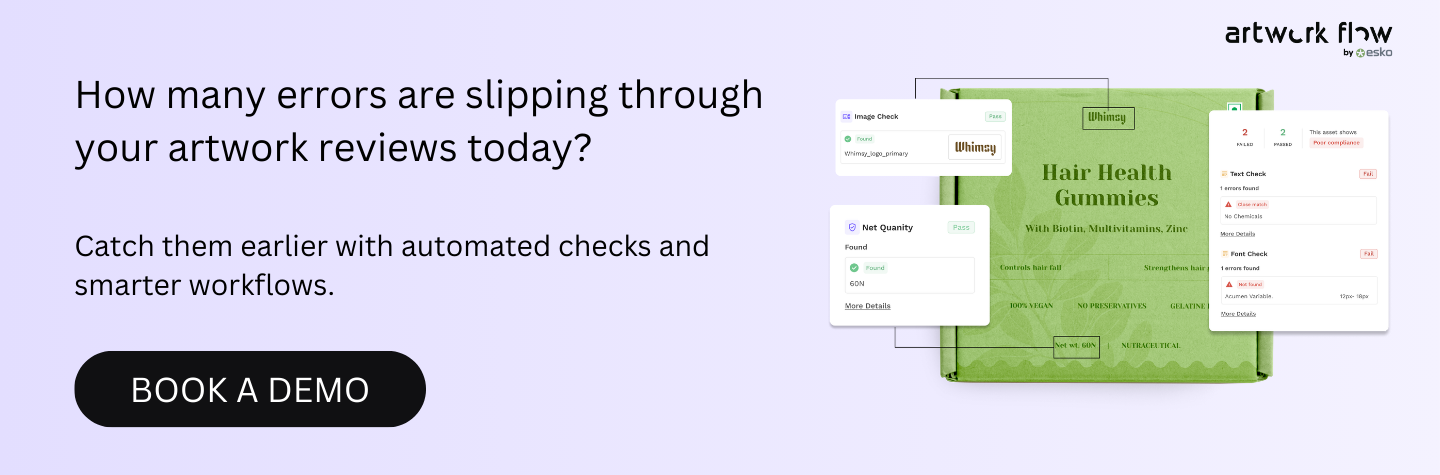
Within the Esko ecosystem, Artwork Flow is available on the Esko Cloud as WebCenter Go, helping brands adopt modern artwork management workflows more quickly.
Key features
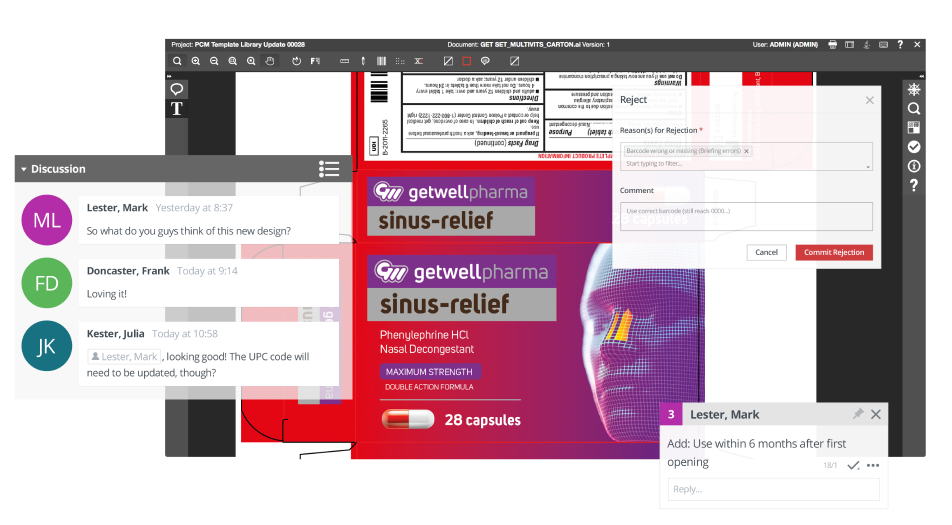
- Advanced proofing: Multiple teams can annotate, share feedback, and use proofing tools, speeding up approvals.
- Analytics and reporting: Get in-depth insights on your artworks, projects, and tasks, helping you stay ahead of delays and maximize efficiency.
- Automated workflow: Build automated workflows that can scale with your project requirements.
- Intelligent compliance: Ensure artwork compliance with Comply. Meet complex regulatory packaging requirements and stay compliant across multiple markets.
Pros
- Deep integration with Esko's broader production ecosystem
- Scalable solutions for both growing brands and enterprise packaging operations
- Strong automation capabilities for high-volume print environments
Cons
- Teams with simpler artwork needs may not fully utilize the platform’s capabilities
3. GLAMS — labeling and artwork management
Best for: Life sciences industry needing end-to-end labeling lifecycle management
GLAMS (Global Life Sciences Automation Management System) is an artwork and labeling management platform built specifically for the life sciences industry, including pharmaceutical, biotech, and medical device companies. The platform is particularly suited to organizations operating across multiple markets that need a standardized, auditable labeling process. But for others, the platform's weight may work against them.
.png)
Key features
- Artwork lifecycle management: Manage artworks through validated workflows designed for pharmaceutical and life sciences environments.
- Collaboration and approval: Multiple stakeholders can review, comment, and approve artwork simultaneously, reducing bottlenecks in the approval chain.
- Regulatory compliance: Built-in controls ensure artworks adhere to industry-specific regulations and reduce the risk of non-compliance.
- Centralized asset repository: One location for all artwork assets (logos, images, brand guidelines) with version control and easy reuse of approved assets.
- Reporting and analytics: Comprehensive dashboards covering approval timelines, artwork status, and compliance metrics for data-driven optimization.
Pros
- Strong end-to-end lifecycle management with auditability built in
- Solid reporting features for tracking compliance metrics across large portfolios
Cons
- Primarily designed for the pharmaceutical sector, making it less flexible for other industries.
- Less flexible for teams needing rapid iteration or lightweight project workflows
- Limited advanced proofing tools compared to purpose-built review platforms
4. Filestage - artwork review and approval platform
Best for: Creative agencies and brand teams focused on review and approval efficiency
Filestage is a streamlined artwork review and approval platform that makes it easy for teams to manage feedback cycles across creative projects. It's particularly strong for marketing and creative teams managing frequent review rounds with multiple external stakeholders. While it doesn't offer the compliance depth of purpose-built packaging platforms, its intuitive review workflows make it a strong choice for teams prioritizing speed and simplicity.
.webp)
Key features
- Online proofing and annotation: Comment, annotate, and mark up files in a structured, version-aware review environment.
- Flexible review workflows: Automate reviewer routing and set deadlines to ensure a structured, time-bound approval process.
- Version control: Track all revisions and file versions in one location, with clear comparison between iterations.
- Digital asset management: Manage images, logos, and brand assets with consistent retrieval and usage during artwork creation.
Pros
- Intuitive, low-friction interface that external stakeholders and clients can use without training
- Good for managing multi-round review cycles with clear version tracking
Cons
- Limited regulatory compliance functionality
- Lacks certain artwork-specific proofing tools found in packaging-specialized platforms
- Not designed for high-SKU packaging operations at scale
5. GoVisually — creative workflow & artwork collaboration
Best for: Agencies and in-house creative teams managing client review cycles
GoVisually is a creative workflow platform built around simplifying the artwork review and feedback process. It provides a clean, approachable interface that makes it easy for creative teams to manage approvals, collect feedback, and track revisions. Its integrations with tools like Slack make it a practical choice for creative teams embedded in broader project management environments.
.webp)
Key features
- Centralized artwork management: Manage all artwork from one location with version control and easy retrieval for seamless team collaboration.
- Workflow automation: Automate repetitive approval tasks to reduce manual effort and accelerate time-to-market.
- Review and approval tools: Markup tools, annotations, file attachments on comments, and easy revision tracking streamline the feedback process.
- Design collaboration: Supports both internal team members and external clients, with shared file access and project tracking.
- Integrations: Connects with tools like Slack to keep distributed teams aligned and reduce communication gaps.
Pros
- Clean, accessible interface that works well for teams with non-technical stakeholders or external clients
- Practical for agencies handling multiple client projects simultaneously
Cons
- Limited compliance or regulatory checking features
- Lacks the advanced tools required for packaging compliance workflows
- Best suited as a review and approval tool rather than a complete packaging lifecycle platform
6. Kallik — artwork and labeling management
Best for: Regulated industries requiring cloud-based label compliance and supply chain visibility
Kallik is a cloud-based artwork and label management platform built specifically for regulated industries. It focuses on managing the full lifecycle of label artwork with a strong emphasis on compliance automation and supply chain visibility. While its collaboration tools and compliance features are strong, new users may require substantial onboarding time to navigate the platform effectively.
.png)
Key features
- Real-time collaboration: Multiple stakeholders from different teams can collaborate on label artwork simultaneously, reducing speed-to-market.
- Automated compliance checks: Generate updated artworks and check label compliance automatically against defined regulatory standards.
- Supply chain visibility: Provides transparency across the entire packaging supply chain to eliminate inconsistencies between artwork versions.
Pros
- Well-suited for regulated industries that need auditable label lifecycle management
- Strong automated compliance generation for labels that must meet strict regulatory standards
Cons
- Steeper learning curve as some features require significant internal training for new users
- User interface complexity can slow adoption in fast-moving teams
7. TEKLYNX — label design & print management
Best for: Operations and supply chain teams managing barcode labeling and large-scale printing environments
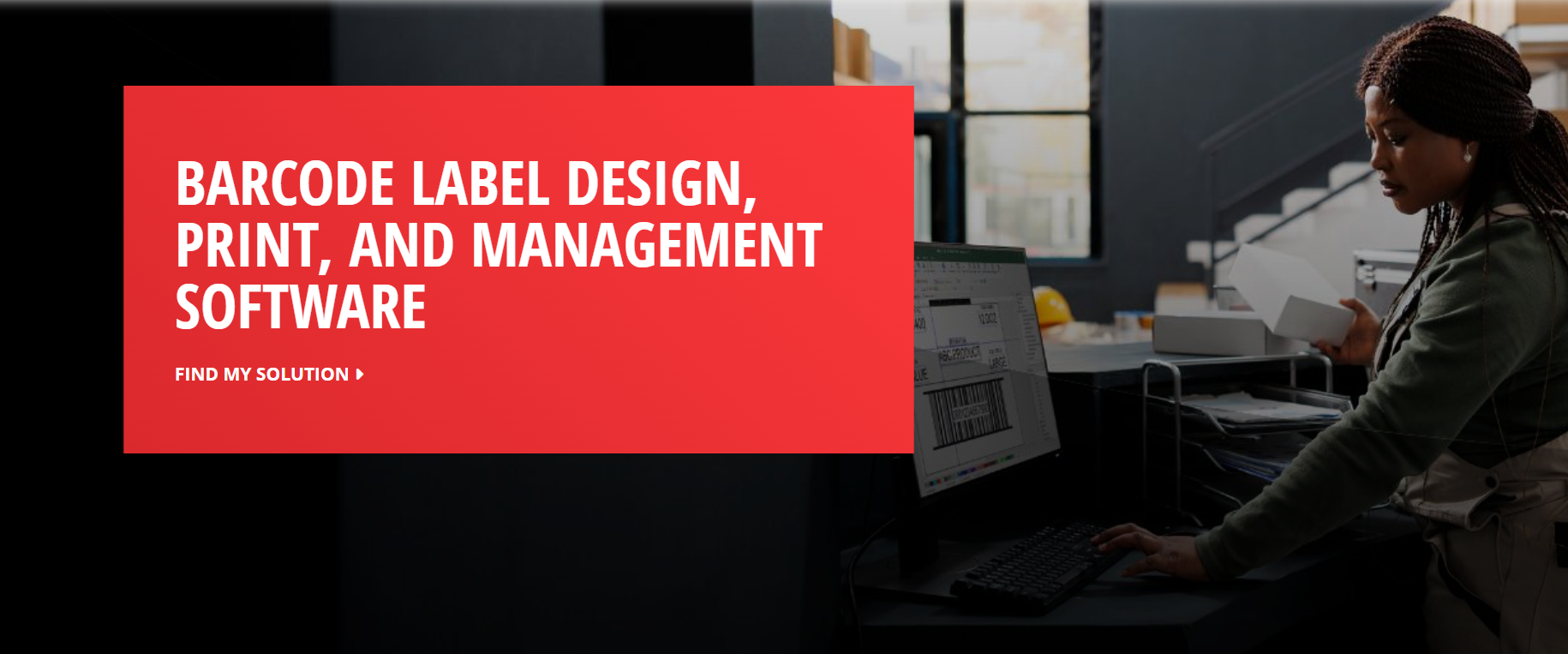
TEKLYNX provides barcode label design, print automation, and centralized label management software used across manufacturing and supply chain operations. Its solutions support creating barcode labels, integrating label printing with ERP and other business systems, and managing labeling across distributed printers and facilities. The platform focuses heavily on operational labeling, traceability, and print automation rather than creative artwork collaboration or complex packaging approval workflows.
Key features
- Barcode label design: Design barcode labels with built-in templates and support for hundreds of barcode types while connecting label data to databases or business systems.
- ERP integration: Connect with Enterprise Resource Planning and other business systems to unify label data across operations.
- Centralized print management: Access and control all printers and plants from headquarters, with supplier connectivity built in.
- Label archive: Reference historical label versions and reprint labels easily using a structured archive.
Pros
- Strong ERP and business system integrations for operational label management
- Centralized control of distributed printing environments across multiple sites
- Good for teams whose primary need is print accuracy and barcode design
Cons
- Does not offer robust regulatory compliance checking features
- Limited creative review and approval workflow functionality
- Not designed to support the design-to-approval lifecycle in regulated environments
8. Loftware — cloud labeling & artwork management
Best for: Global supply chains and regulated industries that need centralized label management integrated with ERP systems
Loftware is an enterprise labeling platform designed to help organizations centrally manage, design, and print labels across global operations. Its cloud-based solution, Loftware Cloud, connects labeling workflows with systems like ERP, WMS, and PLM. The platform is widely used in industries such as manufacturing, pharmaceuticals, and logistics where accurate labeling and traceability.
.png)
Key features
- Centralized label management: Store and manage all label templates in a central database to ensure consistency across sites and production lines.
- Label design and template control: Create and modify label templates using a visual editor and deploy them across locations or supply chain partners.
- ERP and supply-chain integrations: Integrates with systems such as SAP, Oracle, and Microsoft Dynamics to automatically populate labels with accurate product data.
- Global printing and supplier enablement: Teams and external partners can print approved labels anywhere using centralized templates and controlled access.
Pros
- Strong integration with major ERP and supply-chain systems
- Centralized control of label templates across multiple locations
- Suitable for regulated industries requiring traceability and compliance
Cons
- Focused primarily on labeling and supply-chain printing, not full packaging artwork lifecycle management
- Feature set may feel limited compared to newer, AI-enhanced platforms
9. Manage Artworks — packaging & artwork operations platform
Best for: Brands looking for an accessible, workflow-driven artwork management tool
Manage Artworks is a packaging and artwork management platform that offers a broad set of workflow, collaboration, and digital asset management features. It aims to give brands a streamlined way to manage the full artwork process, from initial creation through final approval, with a focus on consistency and brand integrity.
.webp)
Key features
- Artwork repository: Centralized storage for all artwork files with easy access for all stakeholders in the project.
- Workflow automation: Automated review and approval routing ensures label artwork is reviewed efficiently and consistently.
- Collaboration and annotations: Feedback, comments, and annotations tools facilitate structured communication across teams.
- Digital asset management: Manage images, logos, and design assets to ensure consistent usage and easy retrieval.
Pros
- Accessible platform with a straightforward approach to artwork workflow management
- Good DAM features for teams needing organized, searchable artwork storage
- Centralized pack copy and digital asset management
Cons
- Compliance automation features are less robust compared to regulated-industry-focused platforms
- Lacks some of the advanced features found in specialized AI-led packaging tools
Why choose Artwork Flow
If you've made it this far, you've seen that the market offers a genuinely wide range of artwork management tools. Some are better for print-focused operations. Others shine for creative agency review cycles. A few serve regulated industries with strong compliance foundations.
But if you need a single platform that handles the entire artwork lifecycle, from first brief to final print-ready file, without stitching together multiple tools, Artwork Flow is built for that.
- You're a mid-sized/growing brand: Producing up to 2,000 artworks a year and approaching $1B in revenue, your growing packaging volume and complexity make automation and intelligent workflows a necessity.
- Compliance is real for you: You're in food & beverage, cosmetics, agrochemicals, nutraceuticals, or FMCG, where label errors have actual consequences. You need compliance built into the workflow, without introducing more friction.
- You can't afford a six-month implementation: Unlike enterprise platforms that require significant IT investment to get running, Artwork Flow is designed to be live and useful fast. Most teams are operational within weeks.
- You need proof it works: Home Chef cut revisions by 67%, Hammer Nutrition saw 96% reduction in packaging errors, and Jones Dairy Farm achieved 75% higher efficiency. These are the results you’ll experience when the right tool meets the right team.
Get a demo today and see how Artwork Flow can transform your packaging workflow for faster approvals and stress-free launches.
Frequently asked questions
What platforms provide structured artwork processes?
Platforms like Artwork Flow, GLAMS, and Kallik are purpose-built to bring structure to artwork management processes. They offer trigger-based workflow automation, defined approval routing, role-based task assignments, and audit trails, replacing ad-hoc email and spreadsheet-driven processes with more streamlined systems. While some platforms can have a steep learning curve or are built primarily for specific industries and use cases, many teams also prioritize ease of use and faster collaboration. Solutions like Artwork Flow combine structured workflows, automated compliance checks, and built-in proofing with quicker implementation, helping packaging teams move artwork through reviews more efficiently.
What is the best system for artwork approval tracking?
Artwork Flow offers the most comprehensive artwork approval tracking, combining real-time dashboard analytics, multiple intuitive project views, auto-complete workflows, and version-level audit trails. For teams focused purely on review tracking with external clients, Filestage and GoVisually also provide solid approval visibility, though with less compliance and proofing depth.
What systems simplify artwork stakeholder collaboration?
Most platforms on this list address stakeholder collaboration, but the quality varies significantly. Artwork Flow, GoVisually, and Filestage are particularly strong for streamlining artwork stakeholder collaboration, offering annotation tools, comment threads, version-aware feedback, and external reviewer access without requiring stakeholders to have accounts or technical expertise.
What software helps streamline artwork version control?
Artwork Flow provides best-in-class artwork version control, with a centralized DAM, smart tagging, private folder controls, and side-by-side version comparison tools. Filestage and GLAMS also offer solid version tracking capabilities, though without the AI-enhanced features that Artwork Flow provides.
What is the best artwork management tool for packaging?
For end-to-end packaging workflow management, especially in regulated industries like pharma, food and beverage, and cosmetics, Artwork Flow is the strongest overall choice. Esko is a compelling option for teams deeply integrated into pre-press production environments. For simpler review workflows for marketing and agency teams, Filestage or GoVisually may be sufficient.
What platforms streamline content changes on artwork?
Platforms with robust content management and change tracking, specifically Artwork Flow, Esko, and GLAMS, are best suited to streamlining content changes across artwork variants. Artwork Flow's artwork compare tool (available in three modes) and auto-complete workflows make it particularly effective for teams managing high volumes of concurrent packaging updates.
What is the best cloud platform for managing artwork feedback?
For cloud-based artwork feedback management, Artwork Flow and GoVisually lead in user experience and accessibility. Artwork Flow adds a layer of proofing tools, such as spell check, font finder, QR code scanning, three-mode artwork compare, measurement scale, and layer analysis, among other tools, that make it the stronger choice for packaging teams where feedback accuracy directly impacts regulatory compliance.


